Part: an overview
The Part workbench turns sketches into a body and refines that body further. The work goes through a history timeline: every command adds a node to it, and the whole order stays alive — go back to any step, change a number, and everything below rebuilds.
A part is ONE body

The first feature creates a body, each next one carries it further: an extrusion adds material, a cut removes it, a fillet reshapes it. Intermediate states do not pile up as separate bodies — you always see the result of the chain. The exception is pieces: Split body and a cut that goes right through the body leave the pieces bodies of one part. The pieces are rows of the Bodies list in the part's tree. The right button on a piece, on the canvas or in the tree, -> Make a part: a name is asked beside the cursor, Enter moves the piece into a part of its own.
Two kinds of commands
- From a sketch: extrude, revolve, sweep, loft. They need an outline.
- On the body: fillet, chamfer, shell, hole, draft, thread, arrays, mirror. They need edges, faces or the body itself.
Plus primitives — box, cylinder, sphere, cone, torus, prism: a body without a sketch, from sizes alone.
How every command works
- Selection. A click on the part takes the face, edge or vertex under the cursor; what will be taken is highlighted before the click. A double click takes the whole body. A frame dragged from empty space takes what falls inside it.
- What is selected before the command is taken at once; with nothing selected the tool waits for you to point at what to take.
- Modes are in the top bar, values in fields right at the geometry; a field takes a formula:
40/2,len*2. - The preview shows the result before it is applied. A value the geometry will not accept is refused at the field before Enter, with the reason.
- Enter applies, Esc cancels. Until Enter the document is unchanged.
Editing what is built
A double click on a timeline row reopens the same command with the same fields. Change and apply — it rebuilds, and so does everything that depends on it.
The buttons of the bar
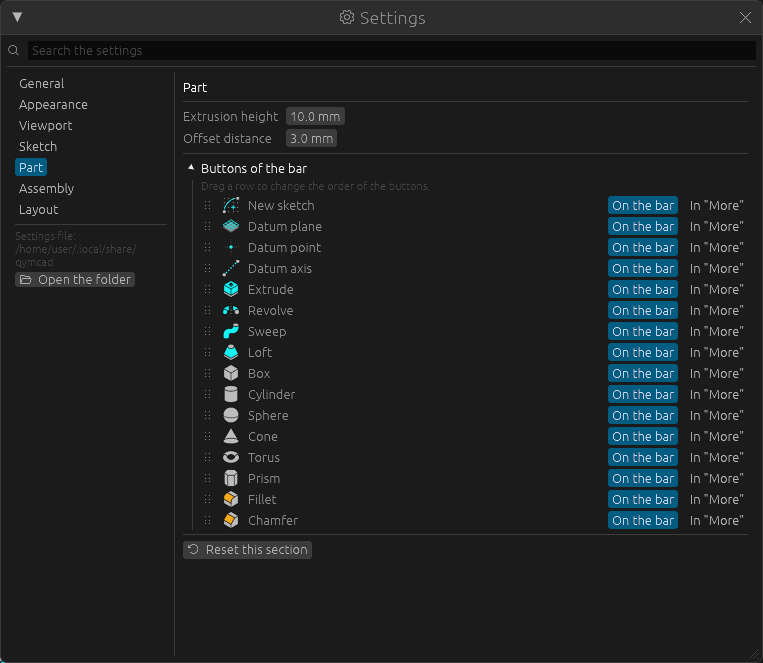
Which buttons stand on the bar of this workbench and in what order is set in Windows -> Settings -> Part: press the heading Buttons of the bar, drag a row up or down to move its button, press In "More" to take it off the bar. Restore the standard buttons brings the usual set back. More in The layout of the panels.