Measuring
The tool is there both in a sketch and in 3D.
- In a sketch — the Measure a distance button, two clicks: the distance between points.
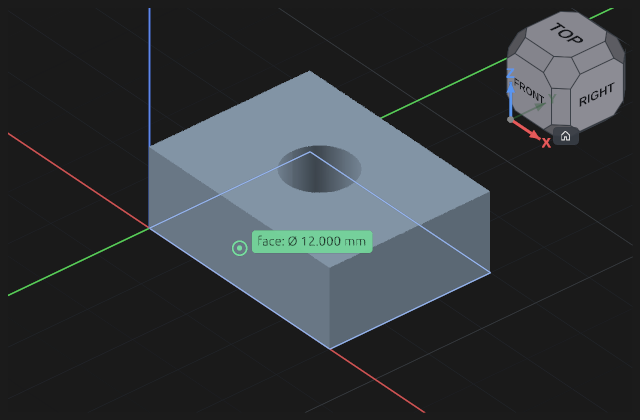
- In 3D — the Measure in 3D button (the ruler): click vertices, edges and faces, two elements at a time. Esc leaves.
What the program works out
The answer depends on WHAT you clicked — there is no separate switch:
| clicked | answer |
|---|---|
| two vertices | distance |
| an edge | length |
| a circle or a cylinder | diameter |
| two faces or two edges | the distance if they are parallel, otherwise the angle |
If a pair has no meaningful distance — the faces are not parallel — the program says so rather than handing you a number that means nothing.
Measuring changes nothing
It is a question, not an action: no node appears in the timeline, the document is not marked as changed, there is nothing to undo. That is what separates it from a sketch dimension: a dimension HOLDS the geometry, a measurement only reports where it stands right now.
When you want a dimension instead
If the number should also hold the part, add a dimension in the sketch. To see a value without pinning anything, make the dimension driven: it shows what is measured and holds nothing.
A miss
A click that lands on nothing does not stay silent: the program says a vertex, an edge or a face is what it wants. The tool is not dropped — click again straight away.