Datum planes, axes and points
Datum geometry is what you build from when there is no face or edge of your own: a plane for a sketch, an axis for a revolve or a pattern, a point for an axis or a dimension.
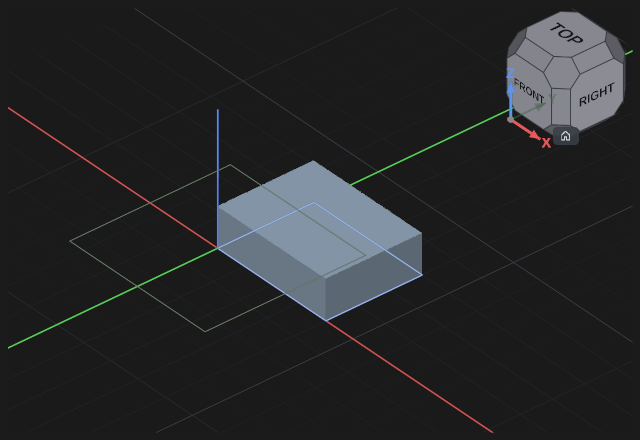
Datum plane — key D
Press Datum plane, click a base plane (XY, XZ, YZ), another datum plane or a face of the part, type the Offset into the field at the geometry and press Enter. The offset may be negative and takes a formula. The offset can also be dragged: pull the arrow that runs out of the plane you picked. Where a body stands in front of a base plane, a click on it picks the face of the body, not the plane.
The plane can be tilted: type Tilt X and Tilt Y in degrees or drag the rings round the tip of the arrow. Turn turns the plane about its normal, which turns the axes of a sketch on it. The plane tilts about the point where the offset puts it.
Datum axis
Press Datum axis and choose how to set it in the bar above:
- click a straight edge — the axis runs along it;
- click a cylindrical face — the axis runs along the axis of the cylinder;
- 2 points — click two vertices, the axis passes through them;
- By hand — type the origin (O.x, O.y, O.z) and the direction (Dir.x, Dir.y, Dir.z); the origin can also be dragged by its three arrows along X, Y and Z, and the direction turned by its three rings about X, Y and Z.
Enter makes the axis.
Datum point
Press Datum point: in the Coordinates mode type X, Y, Z or drag the point by its three arrows along X, Y and Z, in the To a vertex mode click a vertex of the part. Enter makes the point.
A datum follows the geometry
A plane taken from a face, an axis along an edge or a cylinder, a point on a vertex remember what they were taken from: the part changes — the datum rebuilds, and everything standing on it with it. A plane taken from a base plane and an axis or a point given in numbers do not depend on the part — you start from them when there is nothing yet to build on.
If it did not work
- The datum is red — what it was taken from is gone: a fillet ate the face, an edge went away after an edit. Open the datum with a double-click and pick it again.
- An axis by two points is not made — the vertices coincide. An axis "By hand" with a zero direction is not made either.
- The fields stand over the arrows or the rings — the box of fields stands beside them; where there is no room beside them, zoom the view out with the mouse wheel.