Shell
Key H.
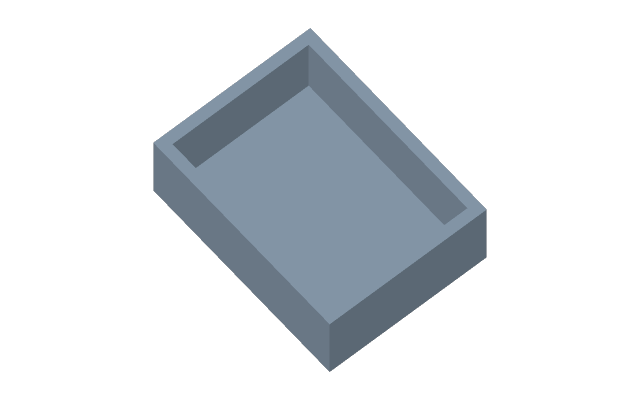
The body becomes hollow: the material inside is removed, the walls get the given thickness, and the faces you pick disappear — the hollow opens through them.
How to do it
- Press Shell and click the faces to open (one or several).
- Type the Thickness at the geometry; in the bar above — where the wall goes: Inwards, Outwards or Centred (half each way).
- Enter applies, Esc cancels.
Order in the timeline
A shell goes after the main shape but before small fillets: then the fillets land on both the outer and the inner edges.
If it did not work
The thickness is not taken — in a narrow place such a wall does not exist: no material is left. Make the thickness smaller; the reason is written at the field.
For an even wall along a flat contour rather than over the whole body, see offset.