Joints
A joint is a rule between two parts: not “put it here” but “hold like this”.
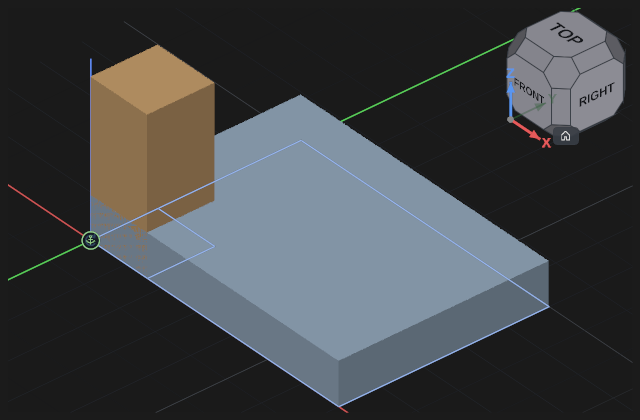
Key J starts a joint: point at a place on one part, then on the other.
The anchor is inferred under the cursor
You do not declare in advance what you are about to pick — the anchor follows from the geometry under the cursor:
| What you hover | The anchor you get |
|---|---|
| Middle of a face | the face centre, primary axis along its normal |
| An edge | the edge midpoint, primary axis along the edge |
| A circular edge (a hole) | the hole centre, axis along the circle axis |
| An edge end | a vertex (a point anchor) |
So “a bolt into a hole” is simply a click on the rim of the hole. The separate “by origins” mode in the tool bar is kept for rough assembly: there the anchor is the part's own origin, and the click is only a way to point at which part you mean.
Kinds and what they leave free
| Kind | What stays free |
|---|---|
| Rigid | nothing |
| Revolute | rotation about an axis |
| Slider | motion along an axis |
| Cylindrical | rotation and motion along the same axis |
| Planar | two translations in a plane and a rotation in it |
| Ball | three rotations about a point |
| Pin-slot | rotation about one axis and motion along another |
| Parallel | the direction is held, the position is free |
One list of mates
Everything that holds parts together sits in one list: joints, constraints (group, width, tangent) and relations between degrees of freedom. Each row has its own icon, name and state:
- a plain row — the item is healthy;
- “faulty” — it has nothing to hold with: a lost anchor, a degree of the wrong kind. Such a row is to be repaired, not deleted: re-pick the anchor;
- “conflict” — the item is sound, but the solver could not hold it because another one argues with it.
The difference matters: in the first case the item itself is at fault, in the second a pair of items demand incompatible things.
Freedom and conflicts
The parts are placed so that all joints hold at once, not one after another. Select a joint: its properties show how many degrees of freedom the driven part has left (Dof of the driven part) — zero means it is defined. If the joints ask something incompatible of the part, the program says The joints conflict and leaves the parts where they were instead of scattering them: remove the extra or incompatible joint.
A part with freedom left can be led with the mouse — in our layout Shift and the left button, begun on the part: it goes the way the joints allow.
The joint panel
A finished joint is edited in place, right at the geometry: pick it in the list or click its glyph in the viewport. The panel offers:
- Swap roles — the two sides are not equal, the part of the second anchor is the one that moves. Swapping changes which part stays and which one travels.
- flip the side — the part faces the wrong way: this turns it half a turn about the joint axis.
- Limits — the bounds of travel. When a degree runs into a bound, its row reads at the stop, and Apply limit position appears next to it: the degree is set exactly on the bound.
When there is nothing to hold on to
Two arrangements look workable, yet the assembly will not settle with them. The program names both.
“Anchor on a moving part”. The anchor is declared on the assembly but takes its geometry from a part that travels inside it. Such an anchor moves away every time that part moves, and the assembly cannot settle: every recompute shifts it again. The row is marked “faulty”.
What to do: re-pick the anchor on the still part — or attach the joint straight to the moving part if that is what you meant to hold on to. A new anchor like this is refused right as you pick it.
“Grounded inside a moving unit”. The part is grounded but sits inside a subassembly driven by a joint: it stays put relative to its neighbours and travels along with the unit. The assembly panel lists such parts in a separate row.
What to do: if you need it still in the world, ground the unit itself; if the unit is meant to travel, remove the grounding from the part — it holds nothing anyway.
Ground
One part in an assembly must be grounded — otherwise the whole structure has nothing to measure its position from and floats as a whole. Usually the housing or the frame is grounded: in the joints panel press Grounding (the assembly anchor) and click the part; a second click releases it.
See also
- The second lesson: an assembly — the same joints, step by step.
- Joint limits and drives — so a mechanism moves within bounds.