Loft
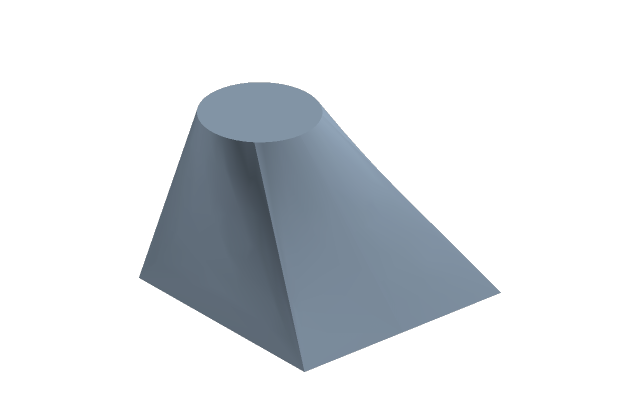
The body passes through sections in order: an adapter from a circle to a square, a blade, a streamlined housing.
How to do it
- Select the first section sketch and press Loft.
- Click the next sections in the tree in order — at least two; the bar above shows sections: N.
- In the bar choose the faces — Smooth or Ruled (straight transitions between sections) — and the result: Add, Cut, Union, Intersection with the body of the part, or Surface.
- Enter applies, Esc cancels.
The order of sections is the shape
Sections are joined in the order they are picked. Mix the order up and you get a twisted body.
Usually each section lies on a datum plane of its own: move the plane and the adapter stretches.
Surface
Surface is the same outline without caps on the end sections: a shell with no volume. That is how a side, a hood, a transition between two outlines are made. It becomes a body later — by thickening or stitching with neighbouring sheets.
If it did not work
- A loft needs at least 2 sections — you picked one. Click another section in the tree.
- The body is twisted — the sections were picked out of order. Open the loft with a double-click and pick again.
- The closer the sections are in their number of corners, the smoother the transition: a circle and a square join well, a circle and a star — as it happens.