The program window
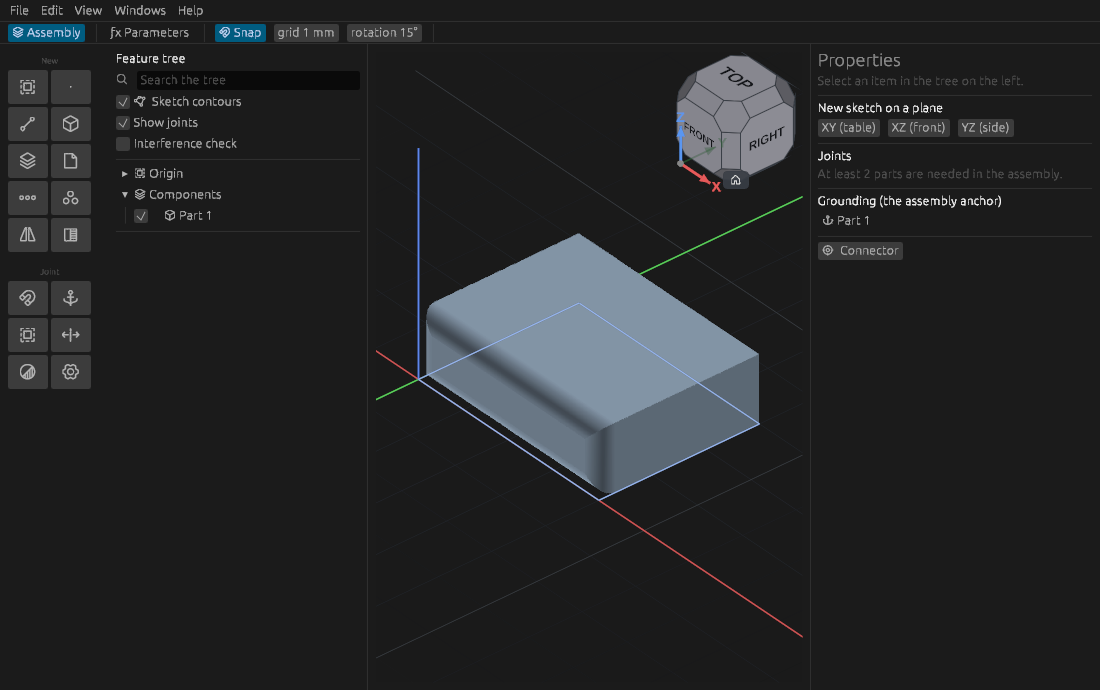
At the top — the menu, the path and the bar of the command
- The menu: File, Edit, View, Windows, Help.
- Below it — the path through the document:
Assembly › Part › Sketch. It shows where you are, and a click on a link takes you back up. Beside it — Finish (leave the sketch or the part), ƒx Parameters, Snap with the grid and rotation steps, In context. - With a tool in hand, its bar appears below: modes and switches — "Add / Cut", "To a length / Symmetric" — and the buttons Apply (Enter) and Cancel (Esc).
On the left — the tools and the tree
The buttons of the current workbench, grouped by meaning, and the tree of the document. The buttons change with where you are: in a sketch — drawing, in a part — operations on the body, in an assembly — parts and joints. If an icon is unclear, rest the pointer on it: the hint says what it does and names its key.
In the centre — the viewport
The model itself. The numbers of a tool — the height of an extrusion, the radius of a fillet — stand as fields right at the geometry, where they are measured; a field takes a formula. The view cube in the top right corner turns the camera: a face — the front, top or side view, a corner — isometric, an edge — a view at 45°; the house below the cube brings back the whole view.
On the right — properties
What is selected, what made it, what depends on it, how many degrees of freedom a sketch has left — and what of the made thing is edited without a command: its name, the values of a joint. A tool itself is started with a button on the left, not from here.
At the bottom — the status
The status line says what is happening now and what the program is waiting for from you; on the right — the coordinates of the pointer and the units. A warning is written in yellow and an error in red, each with its sign; a value or a click that was not taken is written in soft red.
Beside the message, two counters show the errors and warnings of the whole document as they are now, whatever the line said last:
- red — operations that did not build, mates that do not hold, sketches whose constraints conflict, parameters whose formula gives no value;
- yellow — operations that built only a part of what was asked (a fillet that left some edges sharp), drivers whose dimension is gone.
A kind with nothing in it has no counter. Click a counter, or the red or yellow message: with one entry the program goes straight to it — the part becomes current and the operation, sketch or mate is selected; with several, the window Errors and warnings opens with each of them, what is wrong and where, those of the part you work in first. Click a row to go there. A parameter opens the table of parameters narrowed to its name.
If an operation is red, read why in its row or in the hint over it in the tree, then open it with a double click and change the value or the selection it needs — or the parameter it depends on. When it builds, its count goes.