The second lesson: an assembly
The first lesson had one part. Here there will be several, and they will stand against each other the way they do in a real product — not “placed nearby” but constrained.
Read the first lesson first: this one assumes you have already built a part.
A part inside an assembly
On the start screen press New assembly — an empty assembly opens. Press N ("New part"): a part appears in the
assembly, and the path above shows that you are now inside it: Assembly › Part 1.
Everything you build goes into that part, not into the assembly. Build something simple — say a 60×40×10 plate with a hole. Click Assembly in the path above to step back out.
The second part, and how to get one
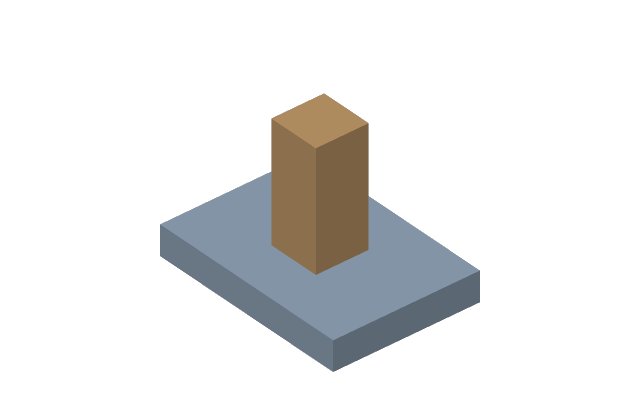
Press N again and build a second one — a 20×20×50 post, for instance.
The other way is I ("Insert a component") — it takes a finished part from a STEP or STL file. That is how bought parts arrive: bearings, fasteners, extrusion. Finished products also come from the library.
A joint is a rule, not a move
Press J, click a face on one part, then a face on the other. The parts snap together. The kind of joint is chosen in the bar above, or later in the properties.
The difference from simply moving: a joint is a rule that keeps holding. Change the thickness of the plate and the post stays standing on it instead of hanging in the air. While the rule exists, the part cannot be dragged where the rule would break.
The kinds of joint differ in what they leave free:
| Kind | What stays free |
|---|---|
| Rigid | nothing |
| Revolute | rotation about an axis |
| Slider | motion along an axis |
| Cylindrical | rotation and motion along one axis |
| Planar | two motions in a plane and rotation in it |
| Ball | three rotations about a point |
| Pin-slot | rotation about one axis and motion along another |
| Parallel | three motions and rotation about the axis — only the direction is held |
More in Joints.
Degrees of freedom here too
Select a joint: its properties show how many degrees of freedom the driven part has left. Zero — the part is fixed. More than zero — something can still move, and that is normal: a mechanism is supposed to move. What is not normal is a part being free when you thought you had pinned it. If the joints ask different things of the part, a red line "the mate is not satisfied" appears there too.
A part with freedom left can be led with the mouse: in our layout — Shift and the left button, begun on the part; it goes the way the joints allow.
Patterns at the assembly level
Eight bolts around a circle are not placed one at a time. A component pattern patterns a part as one row of the assembly timeline.
Interference check
The interference check finds places where parts have grown into each other. On screen that is often invisible; on the machine it becomes visible at once.
What next
- External references and top-down design — how to build a part in place, off the geometry of its neighbour.
- Joint limits and drives — so a mechanism moves within given bounds.
- Parameters and formulas — one number for the whole product.